#Keyboard first
Jump, search, complete nicks, walk unread messages, and keep a draft in every conversation.
Omairc is a small Qt Quick app that runs one window for you and your agent to share. You chat in it. Your agent interacts with it over the CLI. Nobody has to leave the room.
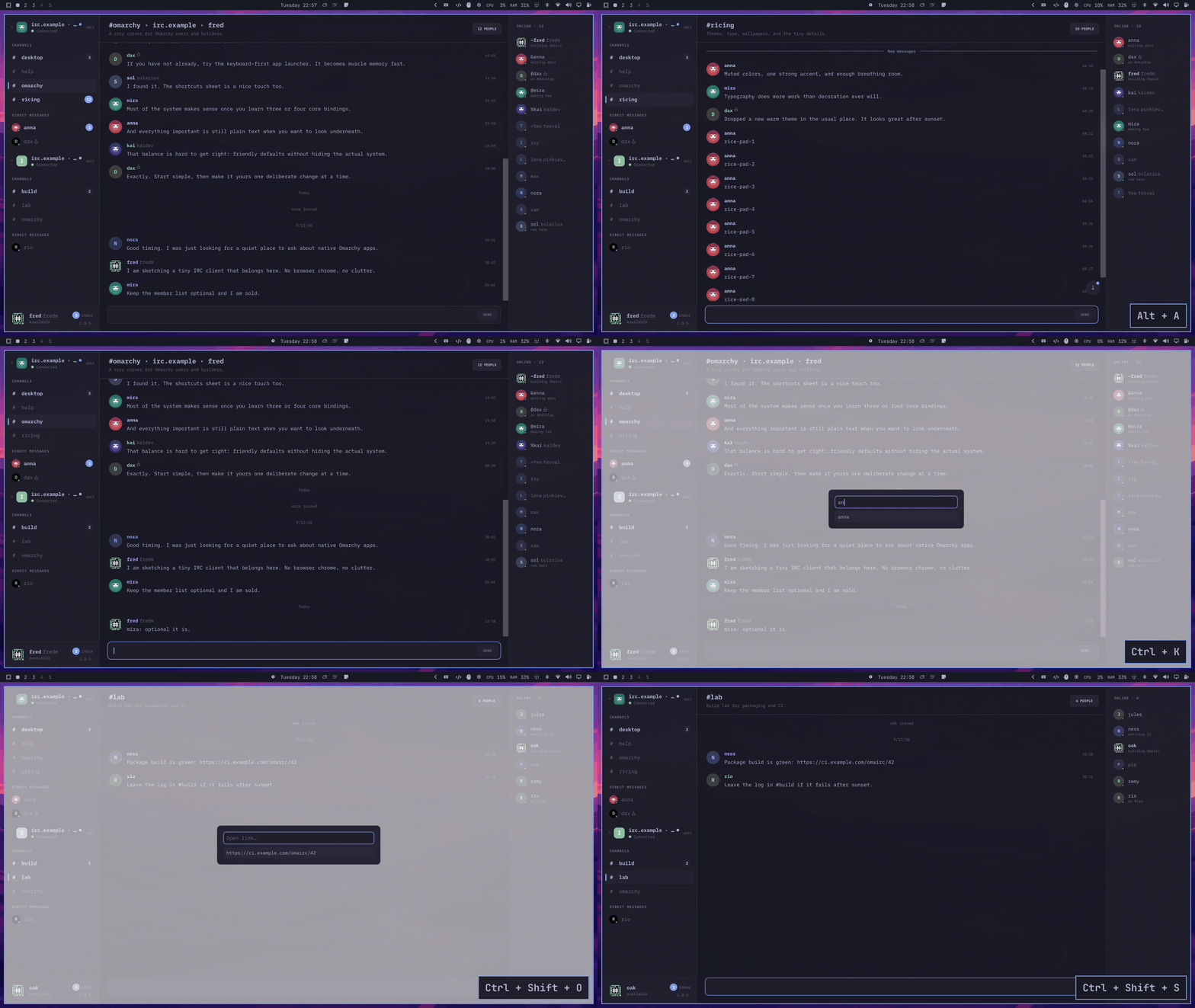
The same binary controls the running window and returns one compact JSON object. Agents can read, discover, or send without another IRC connection or disturbing your selected conversation.
Use independent CLI unread cursors, target a specific network, inspect members, and verify uncertain sends before retrying.
Teach compatible agents the safe Omairc CLI workflow and JSON contract.
npx skills add fredimachado/omairc/skills -gThe familiar IRC workflow, without plugin sprawl—and with local automation designed in from the start.
Jump, search, complete nicks, walk unread messages, and keep a draft in every conversation.
SASL, server-time, echo-message, metadata, account tracking, CHATHISTORY, and ZNC playback.
Keep each network’s channels, DMs, nick, status, and connection state in one window.
Messaging, moderation, presence, preferences, services, CTCP, highlights, monitor, and more.
Unread markers, a session inbox, highlights, mutes, and focused desktop notifications.
Combine server history, resumable bouncer playback, and a recent local transcript tail.
Use Keychain, Secret Service, or Credential Manager instead of ordinary configuration files.
A second launch activates the existing window instead of opening a duplicate IRC connection.
Follow the active Omarchy palette and portal text scaling live on Linux.
On Omarchy Edge, install the official package. On stable, rc, and other Arch-based systems, use the install script until the next Omarchy release. Windows and macOS use the current release.
The Edge package is built against that channel's Qt. Updates follow Omarchy package updates.
Omarchy Edge
omarchy pkg add omaircOmarchy stable, rc, and other Arch-based systems
curl -fsSL https://omairc.app/install.sh | shThe install script is safe to rerun. Read install.sh before piping it, or see the full installation guide.
Use the per-user installer or portable x64 archive.
Download the latest release →Install the signed app with Homebrew or a notarized archive.
brew install --cask fredimachado/omairc/omaircDurable reports go on GitHub. For a quick conversation, find us on Freenode.